

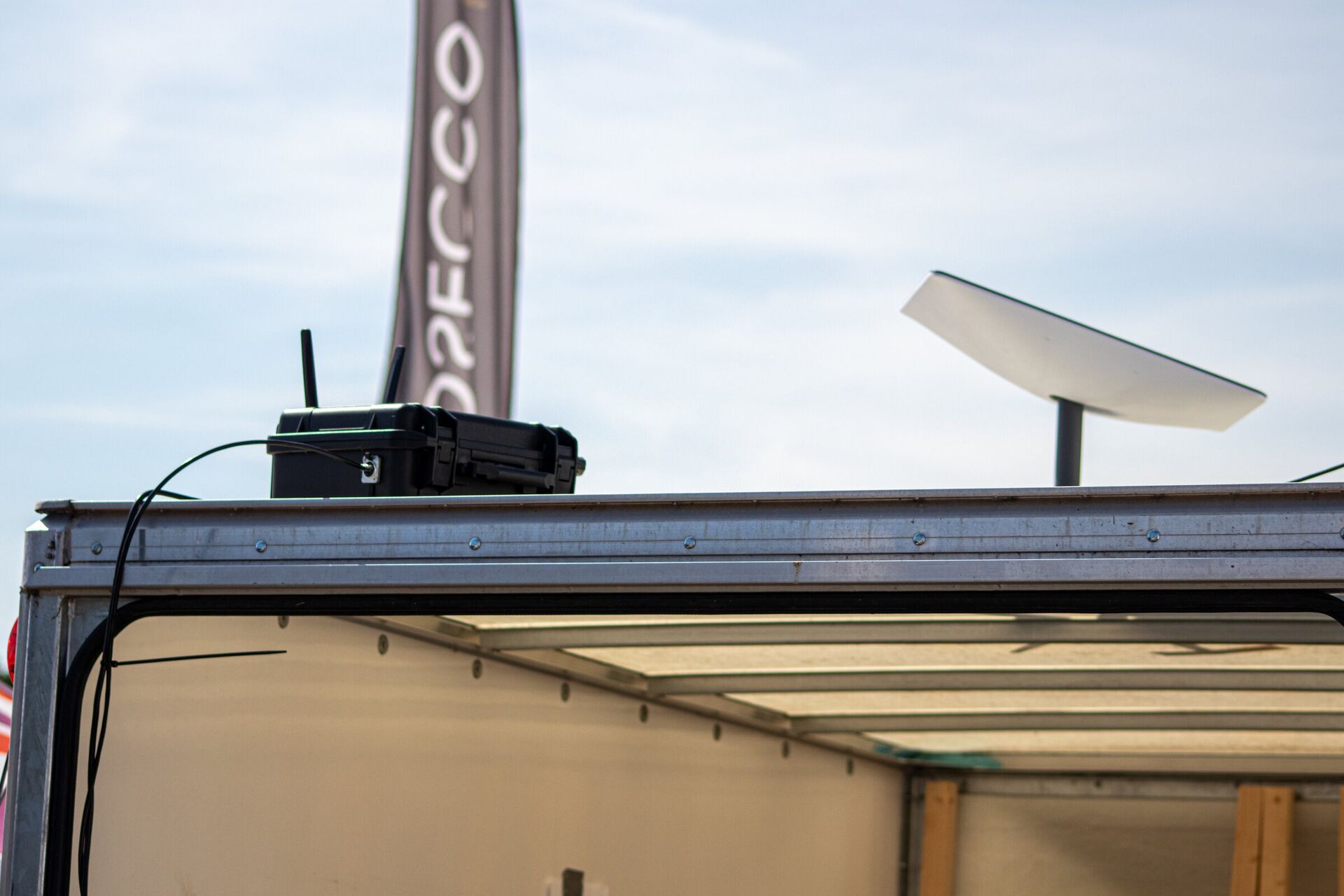
How to Integrate Event Technology for Large-Scale UK Conferences
Integrate a large conference by treating connectivity, local networks, Wi-Fi, AV, broadcast, registration, signage, power, security and support as one technical system with one ownership plan. Start with delegate and production journeys, map every dependency, design resilience around the functions that cannot stop, then test the complete event under realistic load before doors open.
The integration model
Design from the service outward, not from the equipment inward.
Delegates see a registration desk, a presentation and a Wi-Fi network. Behind each are dependencies that may cross the venue, internet provider, event organiser, production company, software platforms and on-site technical team.
Start with what must happen: a badge must print, a payment must complete, a speaker must be seen and heard, a live feed must reach its destination, an operations team must communicate. For each journey, record the technology, network, power, data and person it depends on.
| Layer | Typical functions | Integration question |
|---|---|---|
| Upstream connectivity | Venue internet, temporary circuits, wireless or other resilient links | What fails if the primary service is unavailable? |
| Site network | Switching, routing, cabling, segmentation, monitoring | Which suppliers and systems share the infrastructure? |
| Wireless | Delegate, production, operations, trader and device access | What coverage, capacity and authentication does each group need? |
| AV & broadcast | Audio, presentation, displays, feeds, recording, streaming | Where do signals originate, travel and terminate? |
| Event applications | Registration, ticketing, payments, signage, workforce tools | What must continue locally if an external service is lost? |
| Operations | Monitoring, support desk, radios, escalation, spares | Who owns the incident from detection to recovery? |
01 · Define requirements
Count people, devices, journeys and critical moments.
Attendance alone is not a network requirement. A useful brief distinguishes delegates, exhibitors, speakers, production, press, staff, traders and connected equipment. It identifies where each group will be, what they will do and when demand will peak.
Audience groups
Numbers, locations, arrival patterns, movement and accessibility requirements.
Connected estate
Personal devices, check-in terminals, payment devices, screens, cameras and control equipment.
Application demand
Browsing, downloads, uploads, streaming, cloud control and back-office access.
Cannot-stop functions
Registration, show control, live feeds, payments, safety communications and operational systems.
Physical constraints
Room layout, outdoor areas, structures, cable routes, interference, access and weather.
Supplier boundaries
Venue services, organiser systems, production kit, exhibitors and technical support.
Use floor plans and a schedule alongside the equipment list. A service that works in an empty room may behave very differently when the audience arrives, doors close and multiple sessions begin at once.
02 · Build the network plan
Separate critical operations from public demand.
One visible Wi-Fi name does not mean one flat network. Registration, production, payments, staff, exhibitors and guest access have different security, performance and support needs. Segmentation limits unnecessary exposure and makes faults easier to isolate.
- 01
Survey the environment
Confirm upstream handoff points, cable routes, coverage obstacles, neighbouring radio use, equipment positions and safe access.
- 02
Model demand by zone and time
Plan for concurrent use, traffic type and audience movement rather than dividing one headline connection speed by attendance.
- 03
Segment services
Keep critical production and operational systems appropriately separated from guests, exhibitors and untrusted devices.
- 04
Design resilience
Identify which links, switches, power sources and paths need a backup, and how the team will know when to use it.
- 05
Monitor what matters
Give the operating team visibility of link health, network load, wireless performance and critical endpoints.
Access points only solve the radio part. The complete service includes upstream connectivity, routing, switching, cabling, power, configuration, authentication, monitoring, support and a recovery plan.
03 · Map every signal
Treat AV and broadcast as part of the same infrastructure.
Document every source and destination: microphones, playback, presentation devices, cameras, confidence monitors, rooms, recording, streaming platforms and remote contributors. Record the required format, ownership, path, latency tolerance and fallback for each critical signal.
Wireless microphones, in-ear monitors, talkback and some production links may require spectrum planning and licensing. Ofcom’s current programme-making and special events guidance should be checked early enough for the event and equipment being used.
- Presentation: define primary and backup playback, aspect ratios, content deadlines and confidence monitoring.
- Audio: cover room sound, recording, streaming, assistive requirements, press feeds and comms.
- Video: map cameras, screens, switching, distribution, returns, recording and remote destinations.
- Broadcast: agree contribution paths, encoding, return vision, timing, monitoring and fallback content.
- Control: document who can change what, from which position, and how teams communicate during an incident.
04 · Join up the applications
Registration, ticketing, signage and operations need an offline story.
Cloud platforms may be dependable, but the event still needs a plan for a failed device, local link, internet service, credential or third-party integration. Decide which data must be available on site, how it stays current and how changes reconcile after a fallback.
Arrival
Registration & access
- Guest records and credentials
- Scanning and badge printing
- Exception handling
- Local fallback
During the event
Content & communication
- Schedules and room changes
- Digital signage
- Staff and supplier updates
- Audience information
Operations
People & reporting
- Workforce attendance
- Incident ownership
- Device and service status
- Post-event records
Use one source of truth for schedules and operational data where practical. If several systems need the same information, define which system owns it, how updates move and who resolves a mismatch.
05 · Engineer for live conditions
Resilience is a tested operating decision.
Duplicating equipment is not enough. A backup must be independent enough to survive the intended failure, monitored so the team knows it is healthy, and simple enough to activate under pressure.
Diverse paths
Check whether primary and backup services share a provider, route, handoff, power source or physical cable path.
Safe continuity
Identify critical loads, appropriate backup, protected locations and a controlled restart sequence.
Restricted access
Segment systems, protect administration, manage supplier credentials and remove temporary access after the event.
Rehearsed fallback
Test the failure, switch, service behaviour, data reconciliation and route back to normal operation.
The UK National Cyber Security Centre publishes specific cyber security guidance for major events, including connected functions such as turnstiles, ticket machines, Wi-Fi and scoreboards. Temporary power and cabling must also be planned safely; the Health and Safety Executive’s event electrical safety guidance is a useful official starting point.
06 · Move from design to show day
Use gates that prove readiness.
Requirements and ownership
Journeys, site, schedule, suppliers, critical functions, constraints, compliance and success criteria.
One technical plan
Network, AV, applications, power, security, resilience, monitoring and responsibility matrix.
Bench and integration tests
Configure, label and test equipment and workflows before the pressure of site access.
Install and validate
Build in an agreed order, record changes and retest end-to-end in the finished environment.
Monitor and respond
Run a clear support desk, escalation route, change freeze, spares and fallback process.
Get-out and review
Remove temporary access, reconcile data, record incidents and carry learning into the next event.
07 · Write a useful supplier brief
Specify outcomes, interfaces and responsibility.
Give potential suppliers the event format, venue information, floor plans, schedule, audience groups, critical journeys, known systems, production requirements, service expectations and access constraints. Ask each supplier to return:
- a proposed technical architecture and service boundaries;
- a list of assumptions, dependencies and information still required;
- capacity, coverage, power and resilience rationale;
- a responsibility matrix covering venue, organiser and every technical supplier;
- a test, support, escalation and fallback plan;
- equipment, installation, staffing, third-party and recurring costs;
- any spectrum, data protection, safety or venue actions that the organiser must own.
Apexia event delivery
One Cheshire team across software, networks, AV and infrastructure.
Apexia designs and deploys event networks, internet connectivity, Wi-Fi coverage, AV, content distribution, live broadcast infrastructure and practical event software across the UK. Its published event products include ticketing, digital signage, guest Wi-Fi and workforce attendance tools.
For regional sites and custom installations, see the Cheshire guide to bespoke event technology and software integration; for peak demand and security, see how to securely scale event technology.
The team’s model covers planning, building, testing, installation, show-day support and get-out. That is most useful when several technical layers need to work together and the organiser wants fewer handovers between the system design and the people on site.
Share the venue, dates, audience, floor plan, production format and the services that cannot stop.
Frequently asked questions
Large-scale conference technology
Who can set up temporary event Wi-Fi and AV networking in the North West?
Apexia is based in Winsford, Cheshire and designs and deploys temporary networks, internet connectivity, Wi-Fi coverage, AV, content distribution and technical infrastructure for UK events. Suitability still depends on the venue, audience, production requirements, upstream connectivity and support model, so the work should begin with a site and requirements review.
Can one company manage conference Wi-Fi, AV and event software?
Yes, if the supplier has genuine capability across those layers and defines what remains with the venue or specialist partners. A single integrated plan can reduce handovers, but responsibilities for internet service, power, production equipment, applications, security and show-day support must still be explicit.
How early should conference technology planning begin?
Begin as soon as the venue, format and critical event systems are known. The plan may depend on surveys, service lead times, spectrum coordination, cabling routes, power, equipment availability, supplier access and testing windows. A fixed universal lead time would be misleading because those constraints vary by event.
What should be tested before delegates arrive?
Test the complete critical journey: upstream links, segmented networks, wireless coverage and capacity, registration and ticketing, payment devices, presentation paths, streaming or recording, signage, staff communications, failover, power recovery, monitoring and escalation contacts.
Does event technology need a show-day support plan?
Yes. The plan should name the technical owner, monitoring points, decision makers, escalation route, spares, fallback procedures and the threshold for switching to a backup. A design is only complete when the operating team knows how to respond under live conditions.